Case studyProduct
Designing and Building My Own Portfolio Site with Vibe Coding
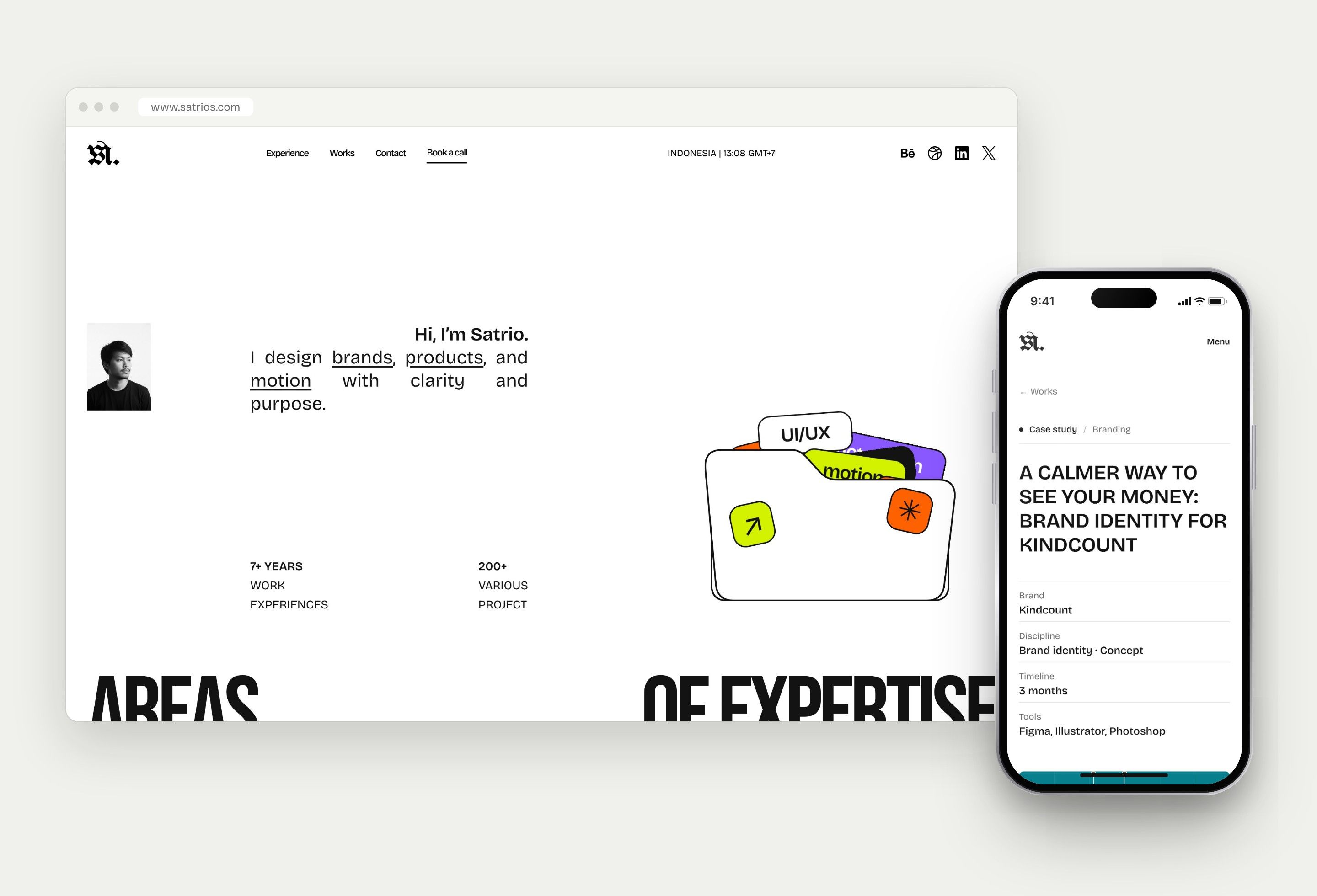
Project overview
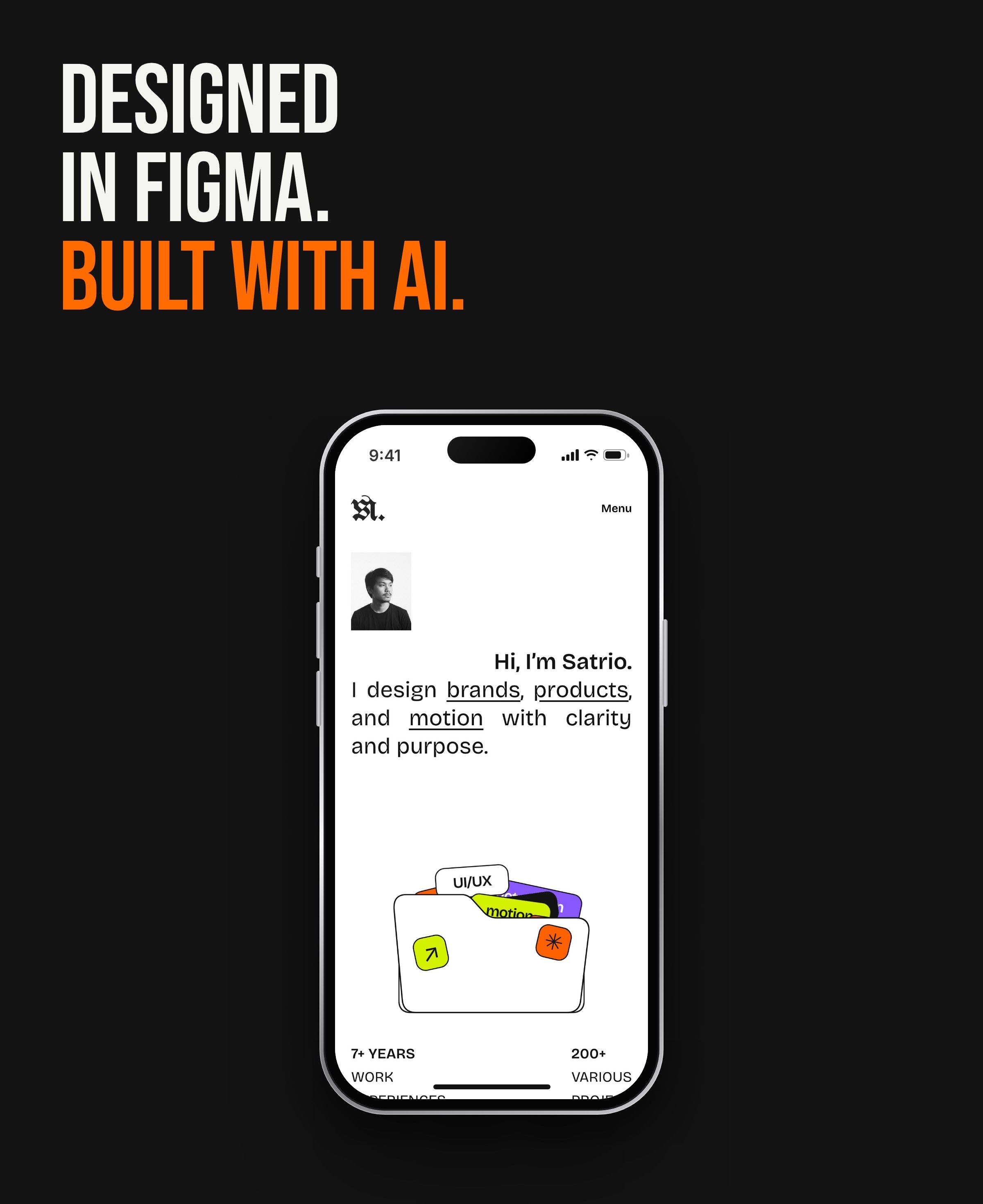
A personal portfolio designed in Figma and built through vibe coding: I directed AI coding agents in plain language, reviewed every change, and shipped a site I can run on my own.
6weeks
From the first Figma build to a live CMS-powered site
122commits
Small, reviewable changes from first layout to latest redesign
Hours
Not days, to publish a new case study
Challenge
Section 1 of 7
Why I built it myself
I wanted a portfolio that matches how I design, that I can update without waiting on a developer, and that can show NDA work safely. Off-the-shelf builders covered the first point, but not the last two.
- Problem
- Portfolio builders limit layout and motion, and cannot gate confidential work.
- Need
- A site I can design freely, update myself, and use to share NDA projects only with approved viewers.
- Goal
- Ship a fast, CMS-powered portfolio built from my own Figma design, with vibe coding.
Approach
Section 2 of 7
From Figma to a live site in six weeks
I designed the site in Figma first, then built it with AI coding agents. Each change was described in plain language, reviewed as a pull request, and merged only when it matched the design. Alongside the build, I curated the work itself: gathering old projects, choosing what to show, screening for NDA and honesty, and shaping each one into a story.
- 1Figma to codeResponsive layout, scroll and marquee motion, mobile menu, footer reveal
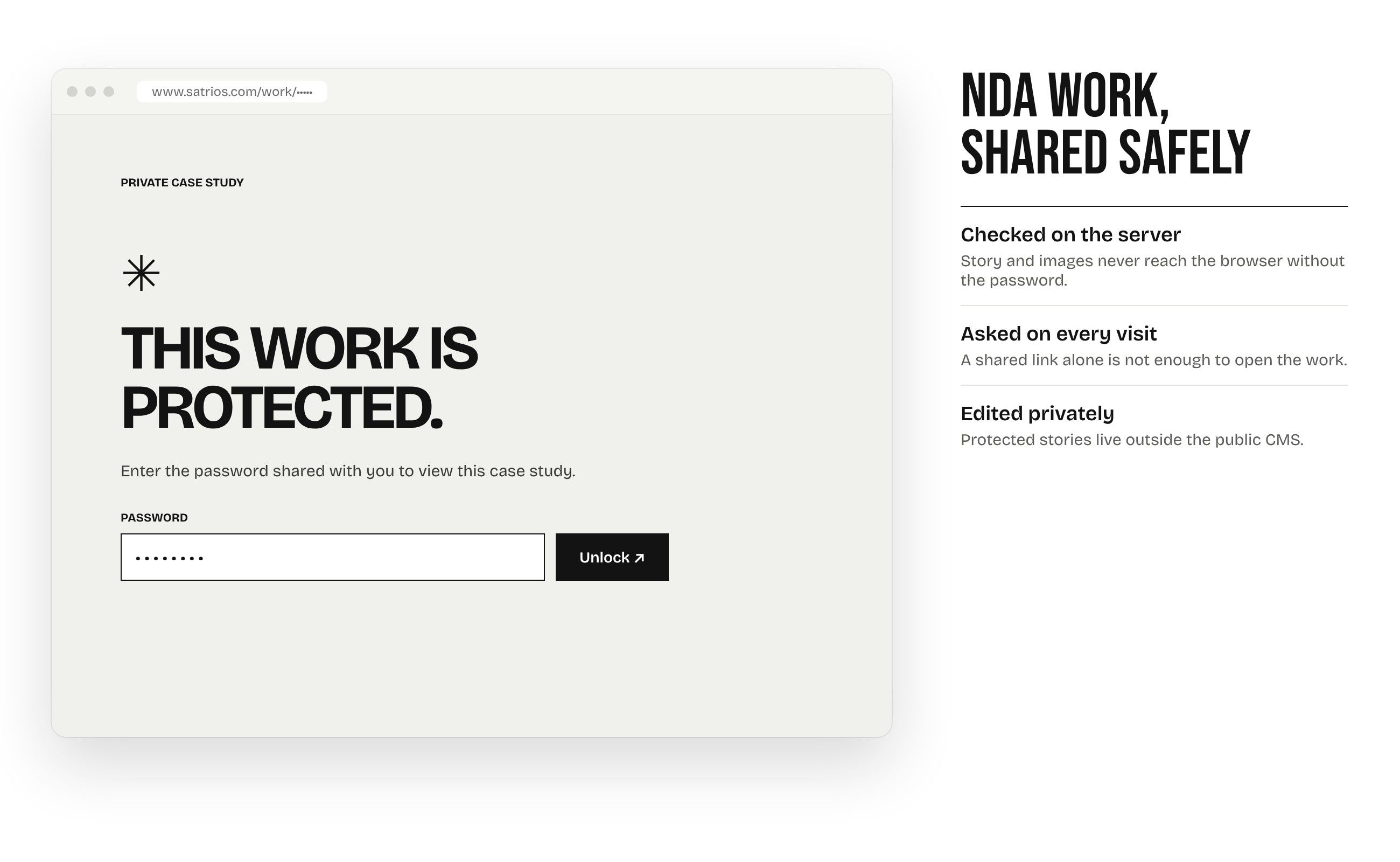
- 2Protected case studiesServer-side password on every visit for NDA work
- 3Content managementCase studies in Sanity, draft preview, private editor
- 4Hosting moveNetlify pilot with isolated storage and verification checks
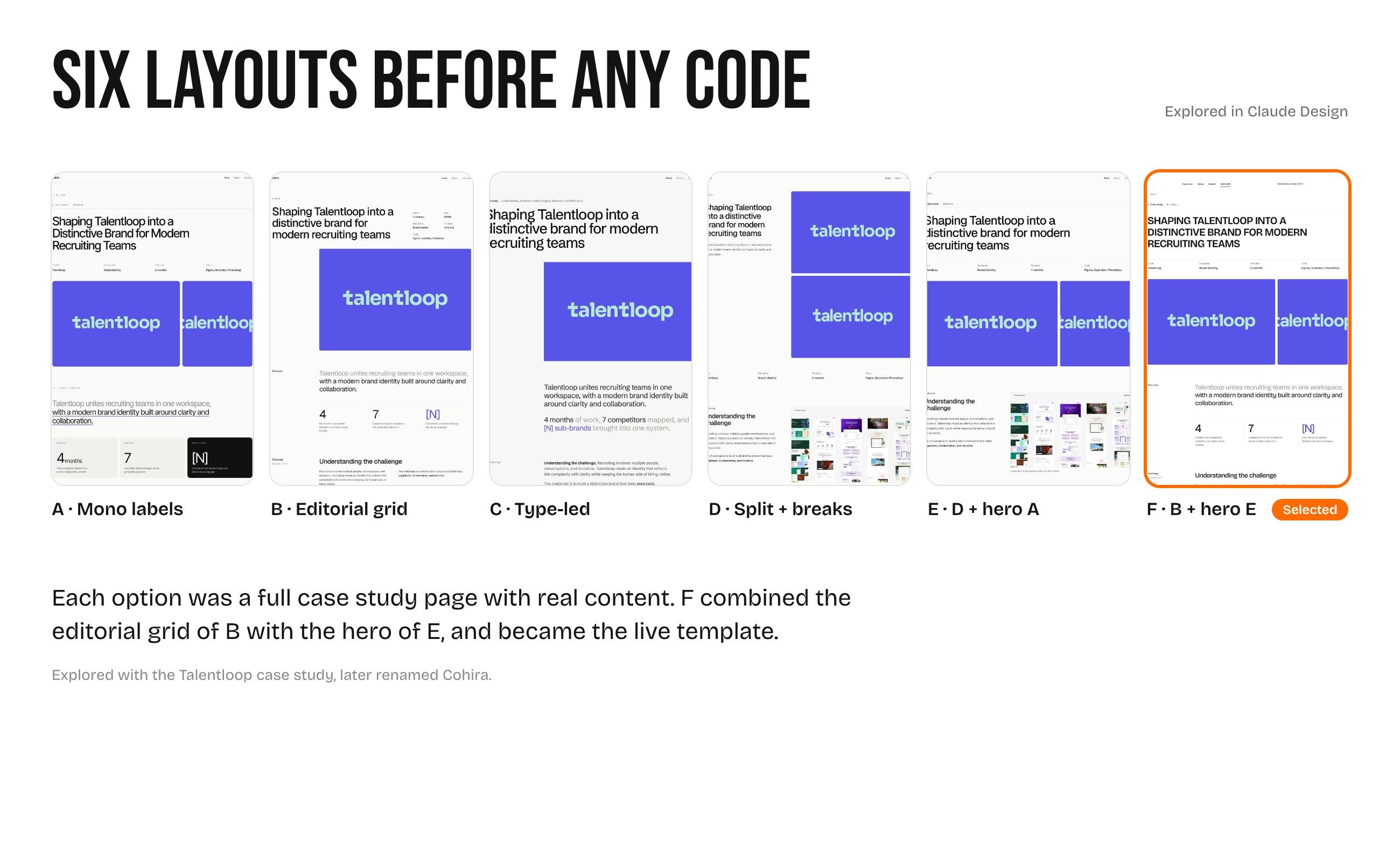
- 5Case study redesignLayouts explored in Claude Design, new content fields
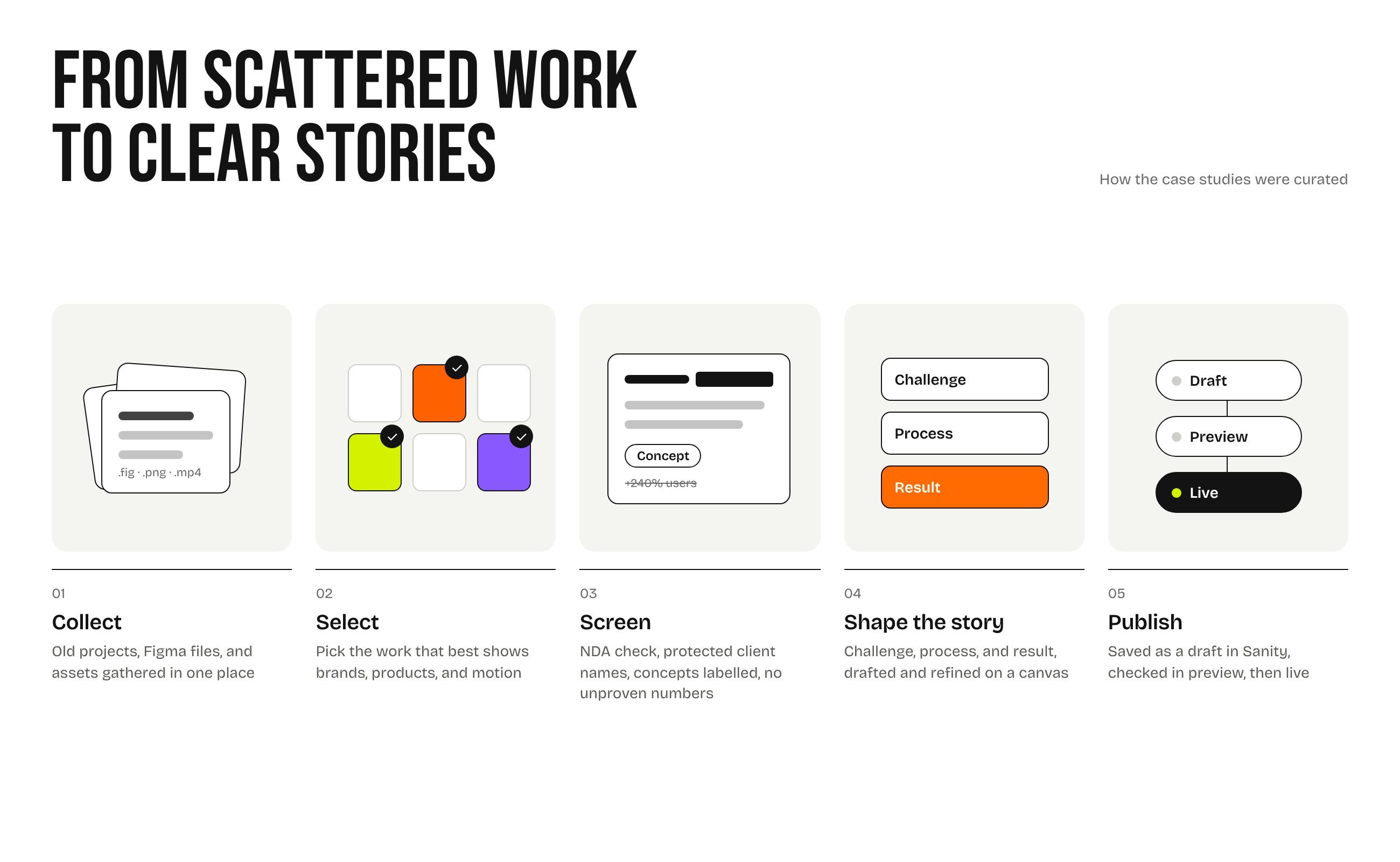
Vibe coding workflow
Section 3 of 7
How I worked with AI
I stayed the designer and decision-maker; the agents wrote the code. The process worked because every step had a clear brief and a clear check.
- Design first
- Figma frames were the spec. Agents built to match them, not to invent the look.
- Plain-language briefs
- Each task was one outcome, e.g. "match the mobile menu to the Figma overlay".
- Review every change
- Every change landed as a pull request I could preview before merging.
- Guardrails
- Agents asked before deploying, merging, or deleting anything in production.
- Show, then tell
- For interactions that are hard to put into words, I shared a screen recording with timestamps for each moment, so the agent could see exactly what I meant.
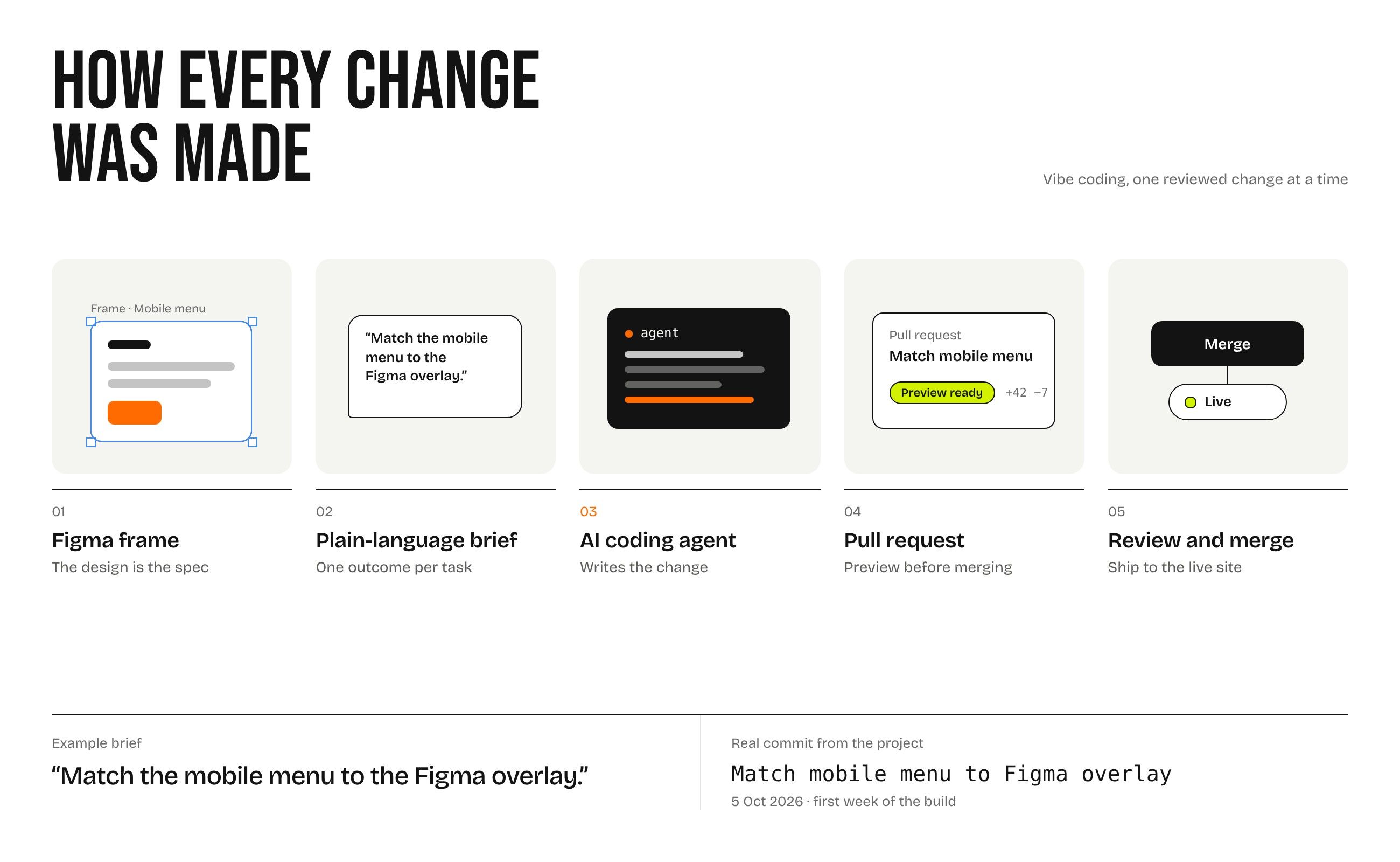
What I built
Section 4 of 7
A portfolio I can run on my own
Beyond the landing page, the site is a small product: content I can edit, work I can protect, and previews I can check before anything goes live.
- Case studies in a CMS
- Every case study lives in Sanity, so new work does not need code changes.
- Protected case studies
- NDA projects ask for a password on every visit, checked on the server.
- Draft preview
- Unpublished changes can be checked on the real site before publishing.
- Flexible layouts
- Section labels, key numbers, facts, steps, and testimonials, all optional.
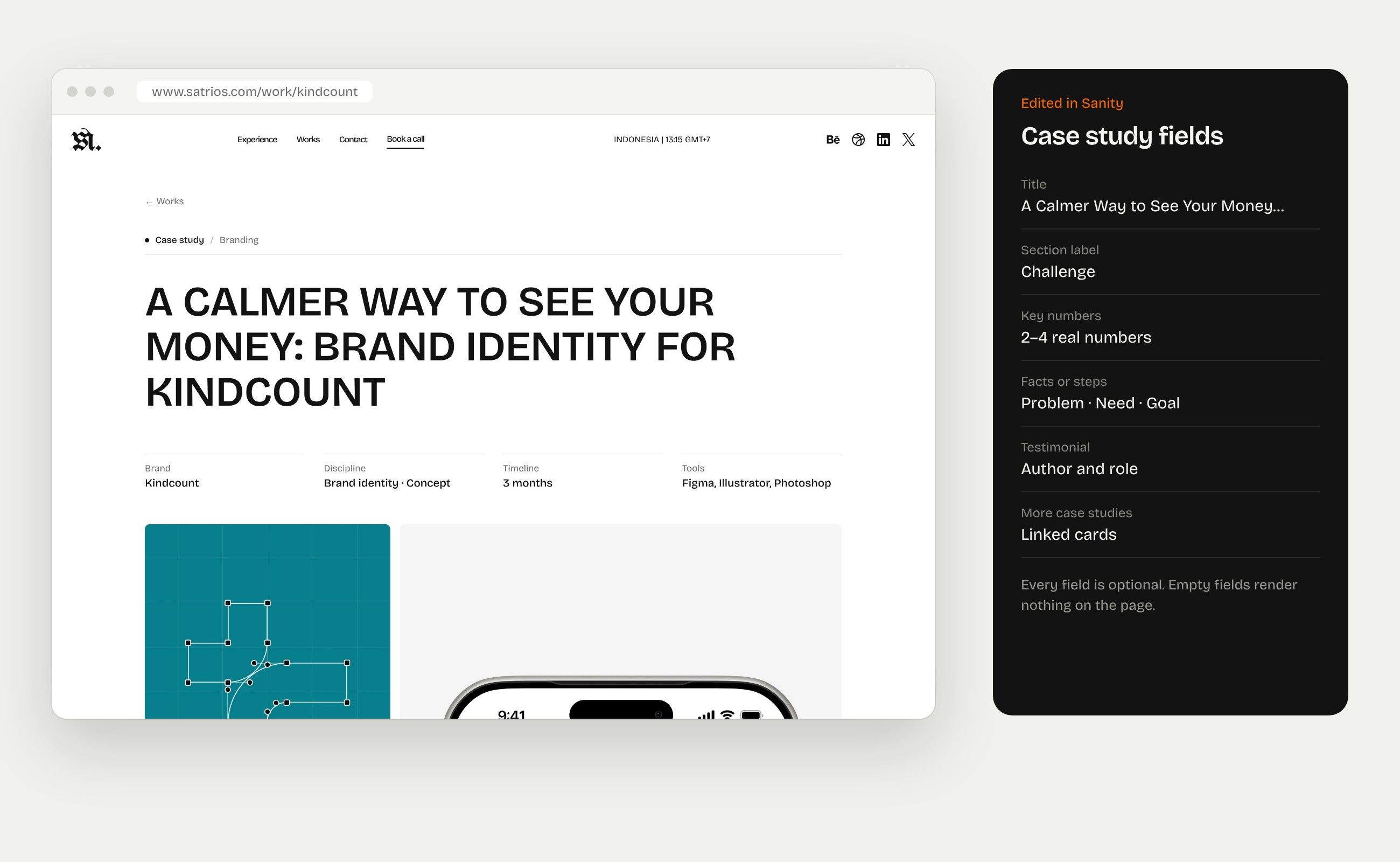
Case study redesign
Section 5 of 7
Exploring layouts before writing code
The first case study template felt plain. I explored six layout options as visual canvases in Claude Design, picked one, and only then had it implemented, with new optional fields in the CMS.
Result
Section 6 of 7
Hours, not days
Adding a new case study used to take a few days. Now it takes a few hours: I write it, add the images, and publish from the CMS. Design changes ship just as fast, because each one is a short brief and a reviewed change.
Reflection
Section 7 of 7
From designing products to shipping them
AI changed what I can do on my own. I used to stop at the design and hand it over; now I can carry the same idea all the way to a working product. That is the real game changer for me: the gap between how something should look and how it actually works is now mine to close.